A photography mailing list is a permission-based list of email addresses that past clients, prospects and followers have explicitly opted into, and that you own outright. To build a mailing list as a photographer, you pick an email platform, connect a signup form to it, collect signups from your website, gallery deliveries and social bio, then send a welcome email followed by useful updates on a rhythm you can keep.
It takes about a weekend to set up properly, and the first fifty subscribers usually arrive within a few months if you have an existing client archive. If you have no clients yet, expect the first ten to come from friends, family and other local photographers willing to trade feedback.
The reason photographers bother is reach they cannot lose. A social platform can change its feed overnight and your reach drops with it. An email address is a direct line to someone who already trusted you with a camera, and there is no algorithm sitting between you and their inbox. That is why wedding and family photographers use a list to rebook past clients, sell prints after a gallery delivery, and fill slow months with mini-sessions.
The confusion I see most often is not about which software to buy. It is about the mechanism. People know they should collect addresses, then get stuck on whether signups land in the platform automatically, whether it is legal to email past clients, and how often is too often. The steps below answer those three things in order.
If your current income depends on one social feed, this is the piece that removes that dependency. Read it once, then work down the list.
Table of Contents
- What You Need
- Step-by-Step: how to build a mailing list as a photographer
- Frequently Asked Questions
- What is the best email platform for photographers?
- How do I ask past clients to join my email list?
- How often should a photographer send emails?
- How do I get my first 100 email subscribers with no client list?
- Do I need double opt-in for my photography email list?
- Why are my photography emails going to spam folders?
- Conclusion
What You Need
Five things, and none of them are expensive or complicated. Most photographers can have all five in place before the next booking.
A specific audience and a promise
Not “everyone who likes photos.” One group with one reason to subscribe. Family photographers with kids aged three to eight have an obvious promise: how to get better family photos without your kid hating it. Commercial shooters have a different one. The narrower this is, the higher the signup rate.
A place for the form to live
One page is enough to start. A dedicated landing page works well if you run a specific offer, but your existing website works for the general newsletter. Whatever it is, it needs a headline, three lines of explanation, the form, and one button.
An email platform account
Platforms that photographers use most often include MailerLite, Kit, ConvertKit (now Kit), Beehiiv, Klaviyo and Mailchimp. Pick one on how well it handles images and how deep its automation goes, not on a feature checklist you will never open.
A lead magnet people actually want
Something downloadable and useful: a portrait session prep checklist, a shot list template, a local venue list with notes on light and parking, or a short guide on preparing a wall for prints. Past clients already paid full price, so a discount is a weak offer to them. Knowledge is not.
A sending rhythm you will not abandon
Monthly is the default for most solo photographers. Twice a month works if you have new work to show. Weekly is only realistic if the shooting seasons are quiet or someone else is drafting. Pick the pace before you collect a single address, and tell subscribers what they signed up for.
A gallery platform such as Pixieset, Pic-Time or ShootProof can also feed your list, and many client management systems send their own emails. If you already have one of those, check what it sends before you add another tool.
Step-by-Step: how to build a mailing list as a photographer
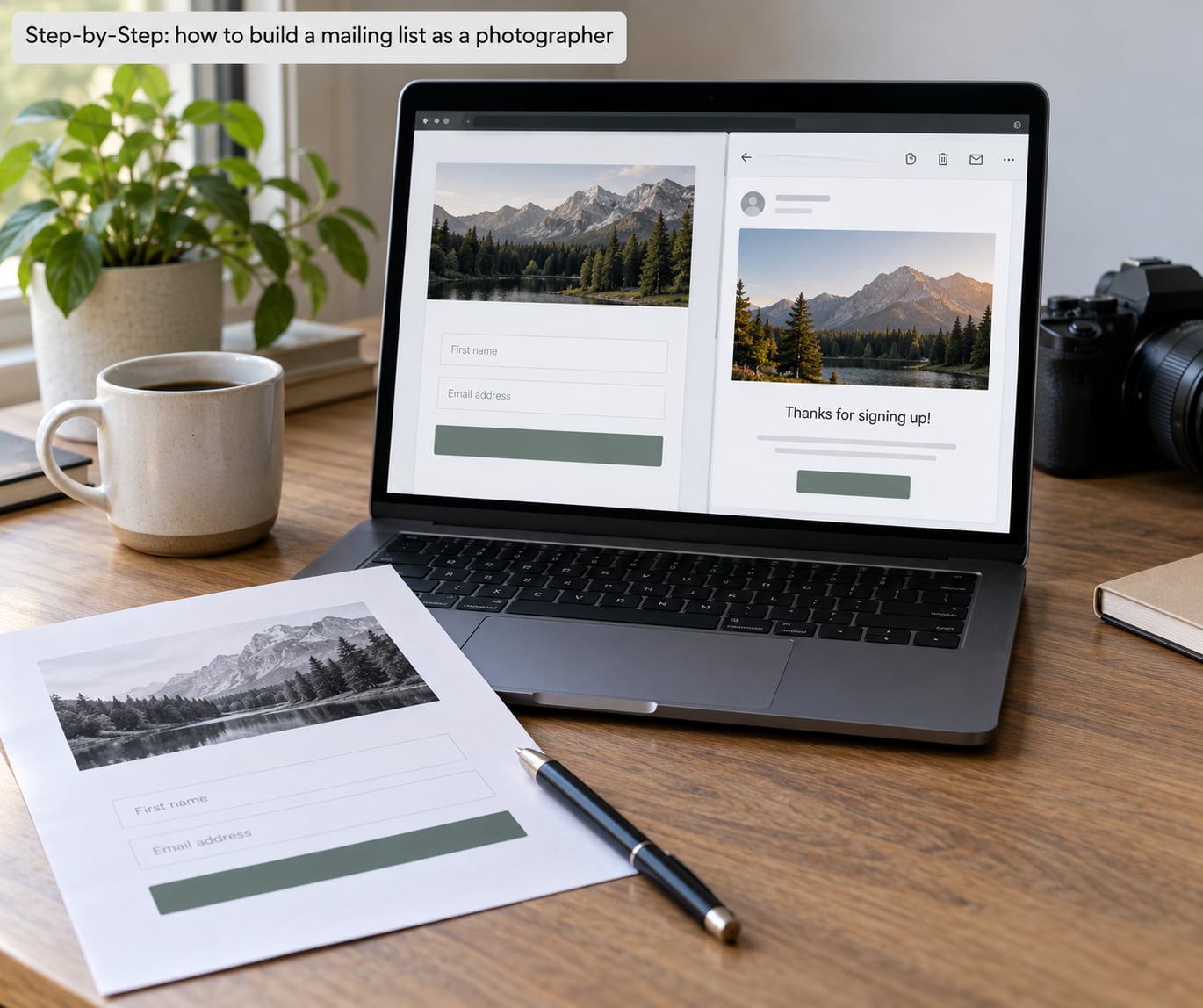
How to build a mailing list as a photographer: define your audience and promise
Write one sentence that says who this list is for and what lands in their inbox. “Parents in the north county who get one email a month with a family photo idea, a print tip, and first access to autumn mini-session dates.” That sentence becomes the headline on your signup page and the first line of every email.
If you photograph weddings, your audience splits into at least three groups: couples who are still deciding, couples who booked and count down to the date, and couples who already had their wedding and might book an anniversary, engagement or family session later. Each group needs a different message. A single blended list works at the start, but tag it from day one so you can separate them later without re-asking anyone.
Set a number for the first year. Fifty is a realistic target for a part-time photographer with a small client base. Three hundred is realistic for someone shooting every weekend with a strong referral network. The number matters less than whether you can name the promise that produced it.
Create a useful lead magnet
A lead magnet is the thing you hand over in exchange for the address. The best ones for photographers are short, specific, and expensive to build in a way that makes them worth something.
- Session prep checklist — what to wear, what to bring, what to expect, how the session flows. Strong for portraits and family work.
- Shot list template — a printable list of family groupings, headshots and details shots, with a note on how long each takes. Useful for couples and large families.
- Local venue and location list — your own notes on light at each spot, parking, restrooms, permits. Nobody else can make this for your area.
- Print and framing guide — paper types, sizes, mat sizes, wall heights, what hangs where. Pairs well with a print shop and pays off months later.
- Behind-the-scenes photo essay — one project, twelve to twenty images, the story behind it. Less a giveaway, more a reason to subscribe.
Keep it under fifteen pages and under about 10 MB. Anything heavier gets abandoned halfway through on a phone.
Add clear opt-in forms
Put the form where someone already has a reason to stop: the gallery delivery page, the end of a blog post, your bio on social media, and the thank-you page after a session. Gallery delivery converts better than anything else because the person has just seen their photos and is already pleased with you.
Ask for permission in plain words. Name the sender, say what you send, say how often, and give them the unsubscribe in the same breath. Something like: “Get my monthly email for new work, print ideas and first access to session dates. About one email a month, unsubscribe anytime.” Clear wording protects you and it converts better than vague copy, because the person knows exactly what they agreed to.
One checkbox for permission is enough. Do not hide it behind pre-ticked text or bury it in a paragraph of terms. Forum threads about list building keep circling this point, and the photographers who get clean lists are the ones who make the ask boringly obvious.
Connect the form and test the workflow
This is the step that confuses people most, so walk it slowly. In your email platform you create a signup form or connect the native form on your website. The platform generates a link, or you paste an embed code into your page builder. Anyone who submits the form now appears in your audience automatically, tagged with whatever you set, such as “lead magnet: session prep checklist.”
Then test it end to end before you tell anyone about it. Submit the form with an address you control. Check the platform dashboard and confirm the subscriber appears with the right tag. Confirm the confirmation or welcome email arrives within a minute. Click a link inside it and make sure the download works. Unsubscribe from a second test address and confirm the platform registers it.
If the confirmation email never arrives, the sending domain is not authenticated yet. That is the next step, and most platforms offer a guided setup under a settings page usually called domain authentication or tracking.
Send a welcome email
The first email has one job: deliver what you promised. Someone hands over an email address and waits, usually within a day, to see whether you are worth the thing they gave up for it.
A workable welcome sequence is three emails. The first, sent immediately, confirms the subscription and delivers the lead magnet with a direct download link. The second, sent two or three days later, shows six to ten images from recent work and explains what the list gets. The third, sent about a week later, asks for the one thing you want: permission to send them occasional session availability, or a question about what to photograph next.
Write the first email in under 150 words and put the link near the top. Photographers lose subscribers in the welcome email more than anywhere else, usually by writing about their gear instead of handing over the guide.
Send useful, occasional updates
A photography newsletter that lands monthly can carry a mix: new work from a recent session, one practical tip, a short note about a season or a location, an upcoming exhibition or workshop, and one clear call to action. One call to action per email. Two means neither gets clicked.
Mix revenue and relationship in a predictable ratio, something like four out of five emails being pure value and one being an offer. Past clients tolerate an offer they would have refused cold, because they already know your work and they remember being served by it.
Gallery delivery is where email quietly earns money. When you deliver a gallery, the automated email can include the print and album shop alongside the download link. Many photographers see more print revenue from that one message than from any campaign they have run.
Keep each image in the email under 200 KB and the whole message under 1 MB. Export portfolio images at roughly 1,200 to 1,600 pixels on the long edge, add alt text to every one, and always set text and background colours that work when someone is reading on a phone in daylight.
Measure, clean, and grow the list
Watch four numbers and ignore the rest. Signups per month tells you whether the forms and lead magnet are working. Open rate tells you whether the subject lines are doing their job. Click-through rate tells you whether the content earns a second tap. Unsubscribes per send tell you whether you are going too often or promising more than you deliver.
For a warm list of people who already know you, an open rate in the 40 to 60 percent range is normal, and a click rate in the 4 to 10 percent range is a reasonable target. Numbers far below that usually mean the list was imported rather than opted in. Numbers far above it usually mean the list is small and highly relevant, which is not a problem.
Clean quarterly. Remove addresses that bounced, then check who has not opened anything in six months. Send those people one short email offering a clean exit: “Still want these? Click here and you will stay on the list, otherwise you will be removed.” Anyone who clicks stays, anyone who does not gets dropped. This is re-permissioning, and it is the safest way to handle a list that has gone quiet.
Never buy a list. A purchased address has not agreed to hear from you, and the complaints it generates will damage your sending reputation for every legitimate subscriber you have. On TalkPhotography, hobbyists debating providers keep landing on the same point: what matters is deliverability, and deliverability dies fastest when the addresses were never yours.
Common mistakes
- Sending to past clients without asking. You have their invoice address, not their permission to be marketed to. Ask them once, clearly, and treat the answer as final either way.
- Hiding the form in a footer. A footer link gets a fraction of the signups of a dedicated page with a real reason to subscribe.
- Promising something vague. “Sign up for news” tells nobody anything. Name the subject and the frequency.
- Going quiet after the welcome sequence. Subscribers who hear from you twice and then never again mark you as spam in their head. Consistency beats volume.
- Over-segmenting too early. Twenty tags on eighty people means every email is the same email to two recipients. Three segments is plenty at the start: past clients, prospects, and everyone else.
- Sending to a contact list you did not build. If you own the gallery platform, use it to ask for permission in the delivery email. If you do not own the platform, ask before you export anything.
- Ignoring domain authentication. Adding SPF and DKIM records through your platform’s guided setup is the single highest-value hour in this whole process. Without it, legitimate mail lands in spam folders and people assume you are a spammer.
One more practical point, since a lot of photographers get their work entirely from Instagram. Moving a following into an owned list takes patience rather than tricks. Post a short series on why you started writing, put the link in your bio, and run a small giveaway for one or two sessions that you would have shot anyway. Expect a conversion rate in the low single digits from a warm following, and treat it as a bonus rather than a business plan.
Frequently Asked Questions
What is the best email platform for photographers?
For most solo photographers, MailerLite or Kit cover the whole job: signup forms, landing pages, an automation builder and image-friendly templates. Beehiiv is a good newsletter-first option if you want strong RSS-to-email and subscriber growth tools. Klaviyo suits studios that want deep segmentation and want to connect email to a client management system. Pick one, stay with it for a year, and judge it on how well it sends images and how easy the automations are, not on the size of the feature list.
How do I ask past clients to join my email list?
Ask inside a message they already expect, which is gallery delivery or your thank-you note after the session. Keep it to two or three sentences, say who you are, say roughly how often you write, and give one clear reason to join such as print discounts or first access to session dates. Never add people to a mailing list just because you have their billing address. Permission is the whole basis of this channel.
How often should a photographer send emails?
Monthly is the sustainable default for a busy working photographer, and it is enough to stay relevant without crowding out the actual shooting. If you have a new project, an exhibition or a seasonal offer, twice a month is fine. Weekly only works when the shooting calendar is light or someone else drafts the copy. Whatever you pick, state the frequency on your signup page and hold to it, because consistency is what stops unsubscribes.
How do I get my first 100 email subscribers with no client list?
Start with a lead magnet aimed at one audience, then put the form in four places: your website, your social bio, the end of each post, and any local group where you already participate. Offer a session you would have shot anyway as a small giveaway rather than discounting your normal work. Then ask every person who has ever modelled, sat for you, referred someone or given feedback to subscribe. That last group is where the first fifty usually come from.
Do I need double opt-in for my photography email list?
Double opt-in sends a confirmation email and only adds the subscriber after they click. It costs you a few signups and it protects you from typos, spam addresses and people who entered an email that was not theirs. It also improves your sending reputation because the inbox provider sees only confirmed addresses. For a list built from strangers downloading a guide, it is worth the small loss. For a list built from existing clients who asked to subscribe, it is optional.
Why are my photography emails going to spam folders?
Check four things in order. First, authenticate your sending domain with SPF and DKIM through your email platform’s guided setup. Second, make sure you send to addresses that opted in and have not bounced. Third, keep the message light, under about 1 MB, with images around 200 KB each. Fourth, include a physical address and a working unsubscribe link in every send. Then check your platform’s bounce and complaint reports, because a rising complaint rate is what gets a sending domain blocked.
Conclusion
Pick one audience and write the one sentence that explains what they get. Put that sentence on a single page with one form, connect the form to an email platform, and authenticate your sending domain. Then write the welcome email so it hands over your lead magnet immediately, promise one email a month, and stick to it.
Everything after that is repetition, and repetition is the part that turns a signup into a business that does not depend on someone else’s algorithm.